Back to tools
Utility
Krypt Cursor
Best Cursor Customizer
265 downloads2,468 viewsUpdated 8/23/2026
Usage guide
Krypt Cursor
A free, open-source Windows cursor customization tool focused on visual effects, personalization, and desktop aesthetics.
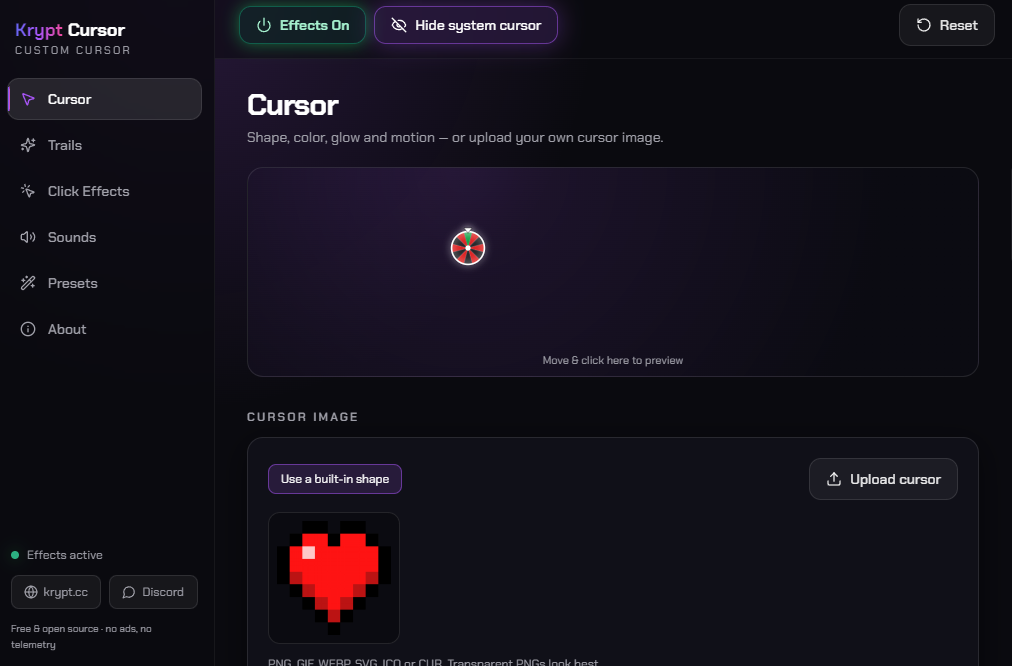
Krypt Cursor replaces your standard Windows pointer with a fully customizable overlay featuring glow effects, motion trails, click animations, and sound feedback. Built for gamers, creators, and customization enthusiasts, it lets you design a unique cursor experience with real-time previews and system-wide support — all without accounts, telemetry, or unnecessary bloat.
What it does
- Fully customizable cursors — choose from built-in styles like Dot, Ring, Glow, Crosshair, Diamond, Triangle, Arrow, and Roulette, or upload your own custom cursor images.
- Advanced visual effects — customize glow intensity, pulse animations, rotation, opacity, smoothing, motion echoes, outlines, click-pop effects, and more.
- Dynamic color modes — solid colors, gradients, rainbow cycling, and velocity-reactive colors that change based on mouse movement speed.
- Motion trails — create comet, neon, ribbon, spark, bubble, and particle trails with adjustable length, fade, thickness, and glow settings.
- Click animations — add ripples, shockwaves, bursts, sparkles, confetti, stars, hearts, emojis, text effects, and more whenever you click.
- Sound customization — attach custom sounds to mouse clicks and keyboard presses with adjustable volume, pitch variation, and support for your own audio files.
- Presets and profiles — instantly switch between built-in themes like Krypt, Neon Pulse, Rainbow Road, Gamer, Inferno, Sakura, Stardust, and Party, or create and share your own.
- Live preview system — see every customization in real time before applying it across Windows.
Lightweight by design
- Free and open-source with no subscriptions, ads, or telemetry.
- Runs as a transparent, click-through overlay above all applications.
- Works system-wide across games, browsers, creative software, and everyday apps.
- Hotkey support allows instant enable/disable whenever needed.
- All settings, presets, sounds, and assets remain stored locally on your PC.
- No account system, cloud dependency, or hidden background services.